We’ve launched a free cyber security review for businesses in Fife with 1 to 15 staff. We check the six areas where small businesses are most often caught out, then send you a plain-English report with the fixes in order. It’s free, and there’s no obligation.
Why now
Cyber attacks on well-known businesses keep making the news, and small firms are hit too. The UK Government’s Cyber Security Breaches Survey, published on 30 April 2026, found that 43% of UK businesses identified a cyber breach or attack in the previous 12 months, rising to 46% of small businesses. Phishing was the most common attack, experienced by 38% of businesses.
Attacks on small businesses often start with something simple: an email account without multi-factor sign-in, a fake request to change bank details, or an old account nobody switched off. Those are the things our review looks for.
What we check
- Email and Microsoft 365: multi-factor sign-in, admin accounts, forwarding rules and email filtering.
- Accounts and access: former staff, shared logins, admin rights and passwords.
- Computers, laptops and phones: security updates, antivirus, disk encryption and screen locks.
- Backups and recovery: what’s backed up, and whether a restore has ever been tested.
- Wi-Fi, router and remote working: router passwords and updates, guest Wi-Fi and how staff connect from home.
- People, payments and phishing: how staff spot phishing and how changes to bank details are checked.
How it works
You fill in a form about your business and your IT, where most questions have a Not sure option. Then we arrange an online session at a time that suits you and look at your settings with you, read-only and with your permission. Matt, who looks after our networking and cybersecurity work, visits if something needs hands on. We never ask for your passwords.
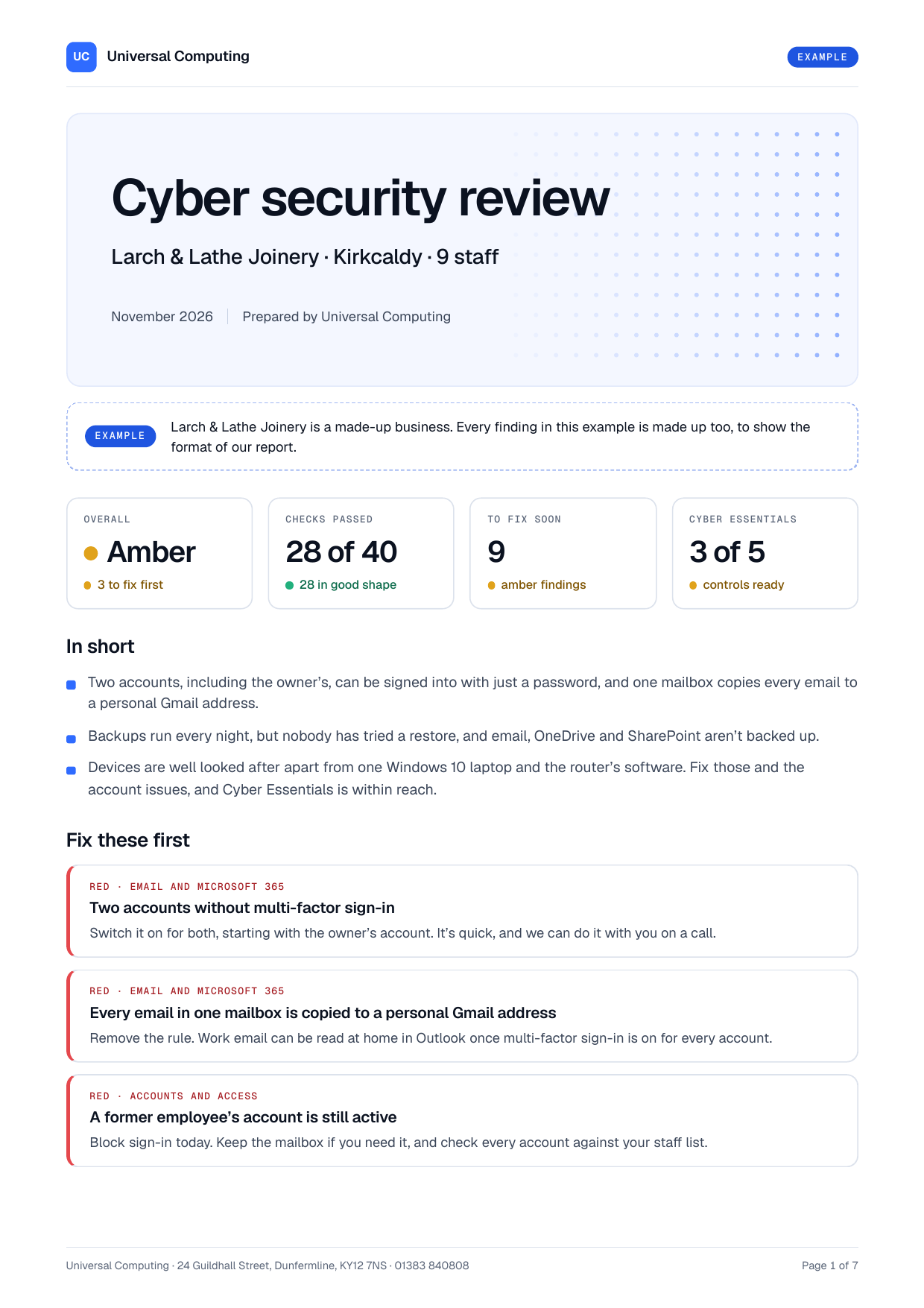
You get a written report with every check marked red, amber or green, and a call to go through it. It also shows how close you are to Cyber Essentials. There’s an example report on the free cyber security review page.
Ask for your free review
Request your free cyber security review, call us on 01383 840808, or ask Ping, the assistant on our website. If you think you’ve been hacked, don’t wait for a review: call us straight away, Monday to Friday, 9am to 5pm.